Interactive Installation
Colgate Interactive Tactical Bin
A touchscreen kiosk for the supermarket toothbrush aisle that helps shoppers find their perfect Colgate brush — by browsing, scanning a barcode, or taking a quick recommendation quiz.
- Client
- 11-FTC Enterprises
- Duration
- 2022 - 2023
- Platform
- Retail Kiosk (Unity)
See It in Action
Shoppers facing a wall of toothbrushes rarely know which one suits them. The kiosk had to help them find the right brush in seconds — whether they already had one in hand, wanted to browse, or had no idea where to start — while running unattended in a busy supermarket.
Digital Walkthrough
A screen recording of the full flow — browsing categories, opening a product, scanning, and the quiz.
Live in the Supermarket
The standalone kiosk running on the shop floor, with a real barcode scan pulling up a product.
How It Works
Three ways to find a brush, and every one of them ends on the same detailed product page.
Explore
Browse adult and kids collections, pick a category, and drill down into any brush.
Scan
Hold a brush from the shelf up to the scanner and jump straight to its product page.
Quiz
Not sure what to get? Answer three quick questions and get a perfect-match recommendation.
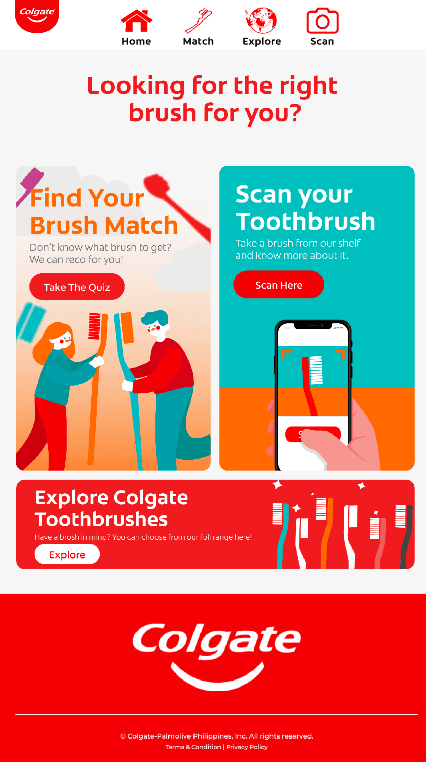 1Main PageHome
Start at the Main Page
When nobody is using it, the kiosk plays a video screensaver. A tap brings shoppers to the main menu, which offers three ways in: take the quiz, scan a toothbrush, or explore the full range.
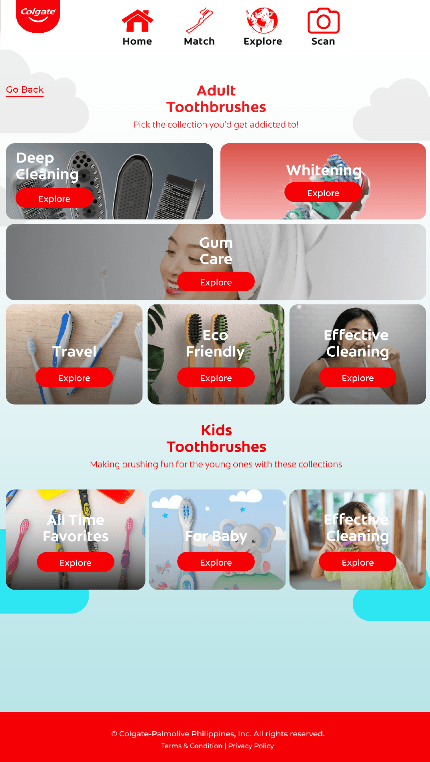 2Explore PageExplore
Pick a Collection
Explore lays out every brush collection, split into Adult (Deep Cleaning, Whitening, Gum Care, Travel, Eco Friendly, Effective Cleaning) and Kids (All Time Favorites, For Baby, Effective Cleaning).
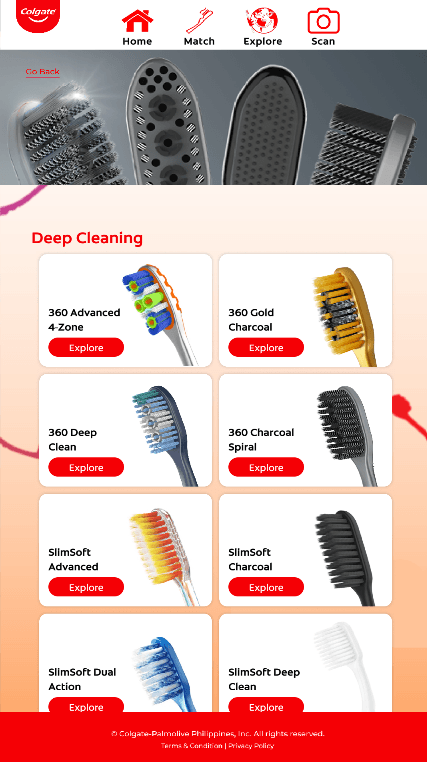 3Item List PageExplore
Browse the Brushes
Choosing a category lists every brush in it, each with its own card. The list resets its scroll position on every visit so shoppers always start at the top.
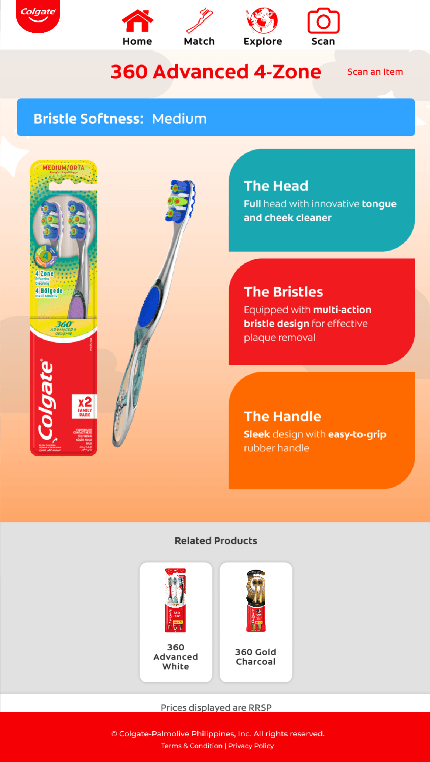 4Item PageExplore
See the Details
The product page shows the packaging, bristle softness, and what makes the head, bristles, and handle different, plus related products to compare. Every route in the app ends here.
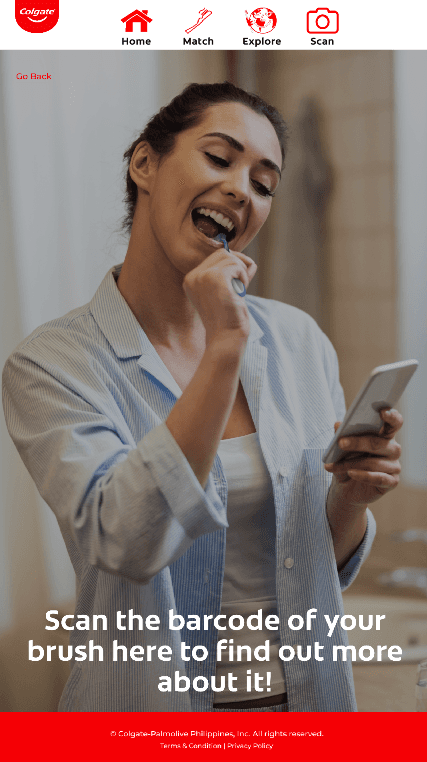 5Scan PageScan
Or Scan It Instantly
Shoppers who already have a brush in hand can scan its barcode. The app looks up the SKU in the product catalog and goes straight to that brush’s Item Page, skipping the browsing.
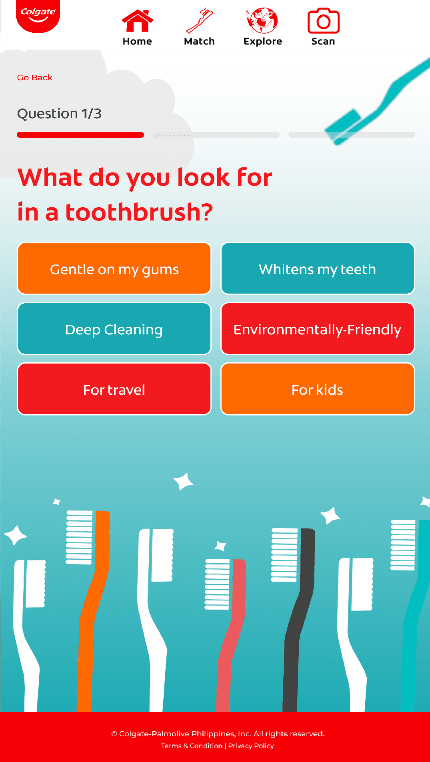 6Quiz PageQuiz
Or Let the Quiz Decide
Undecided shoppers answer three questions — what they look for, bristle texture, and price range. Their answers are matched to a recommendation, and tapping the result opens its Item Page.
Under the Hood
State-Driven Flow
A central OperationsManager owns the app state — idle, main menu, and each panel — and handles transitions, so the kiosk always returns to a clean state between shoppers.
Data-Driven Catalog
Products, categories, and quiz-to-product mappings are stored as ScriptableObjects, so new brushes or quiz results can be added without changing any code.
Plug-and-Play Barcode Scanning
The scanner runs in HID keyboard mode. The app buffers keystrokes until Enter, then matches the SKU against the catalog, so any off-the-shelf scanner works.
Interaction Analytics
Scans, product views, and quiz completions are tracked throughout the session and exported to CSV when the app closes, for retail insight.
Solution
Built a state-driven Unity application with three entry paths: category browsing, instant product lookup through an HID barcode scanner, and a 3-step recommendation quiz. All products, categories, and quiz mappings live in ScriptableObjects, so the catalog can be updated without touching code. The UI was synced from Figma, animated with LeanTween, and falls back to a video screensaver when idle.
Results
Deployed as a standalone kiosk in a live supermarket. Every scan, product view, and quiz completion is logged and exported to CSV, giving the client usable retail insight into which brushes shoppers looked at.
Interested in working together?
I build interactive retail experiences that connect software, hardware, and real customers.