Interactive Installation
Digital Photobooth
A paperless event photobooth: guests pose in front of a green screen, choose a virtual background, and scan a QR code to download their photo — no printer required.
- Client
- 11-FTC for Colgate-Palmolive
- Duration
- 2023
- Platform
- Event Kiosk (Unity)
See It in Action
This clip shows the booth running live — picking a background, taking a photo, and scanning the QR code to get it on a phone.
Printed photobooths are slow, need paper and ink restocked, and leave guests with a single physical copy. The client wanted a branded booth that could keep up with a busy event queue and let guests keep and share their photos digitally.
How It Works
Three screens take each guest from posing to having the photo on their phone.
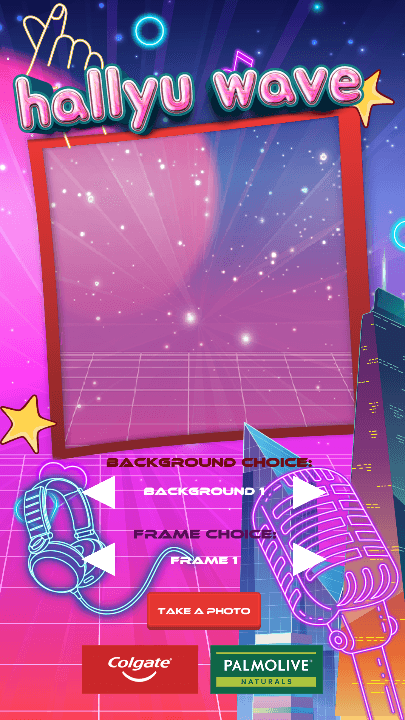 1Main Page
Pick a Background & Frame
When idle, the booth cycles through attract screens. A tap starts a session: the webcam goes live, and guests standing in front of the green screen can flip through virtual backgrounds and frames and see themselves composited in real time before tapping Take a Photo.
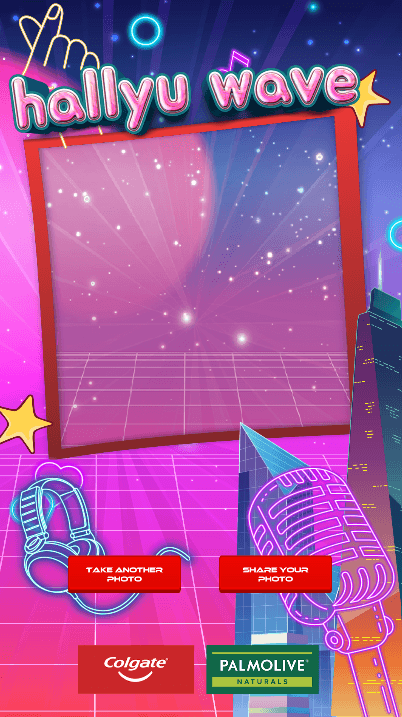 2Share Feature
Retake or Share
A 3-2-1 countdown plays, the photo is captured — background, frame, and all — and saved locally. Guests then decide: take another photo, or share this one.
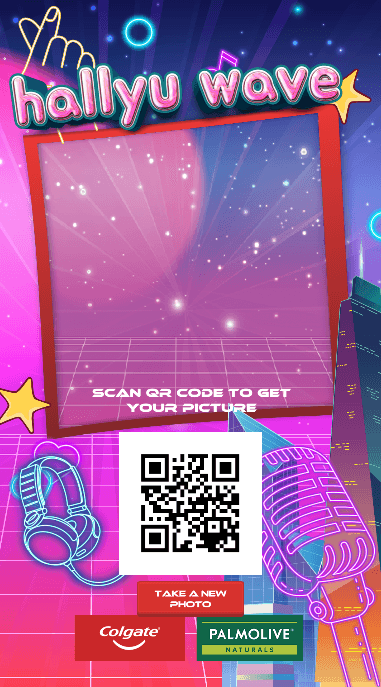 3QR Feature
Scan to Download
Choosing Share uploads the photo to AWS S3 and turns its URL into a QR code on screen. Guests scan it with their phone to download and share the photo later. After a timeout, the booth returns to its attract screen for the next guest.
From Photo to Phone
What happens between tapping Share and the QR code appearing.
- 1
Capture
The chroma-keyed camera feed and selected frame are read from the screen as one image.
- 2
Upload
The image is PUT straight into a private S3 bucket using hand-signed AWS V4 requests.
- 3
Link
S3 returns a URL for the uploaded photo.
- 4
QR Code
ZXing encodes the URL into a QR code that appears on screen.
Under the Hood
Real-Time Green Screen
Chroma keying with custom shaders removes the green screen live, so guests can preview any virtual background before they take a photo.
Direct-to-Cloud Uploads
Signature V4 signing is implemented by hand, so the booth uploads to S3 without an AWS SDK or a separate backend server.
State-Driven Session Flow
A central GameManager moves through idle, intro, capturing, result, sending, and receive states, switching whole UI groups at each step so the booth always resets cleanly.
Configurable On-Site
A setup scene with an on-screen keyboard handles camera selection and resolution calibration, and timers for idle, countdown, and flash are stored as editable data.
Solution
Built a state-driven Unity photobooth with real-time chroma keying, so guests can stand in front of a green screen and pick a virtual background and frame. Each capture is uploaded straight to AWS S3 using hand-signed (AWS Signature V4) requests, and the returned URL is turned into an on-screen QR code with ZXing. A setup scene handles camera selection and resolution calibration on-site.
Results
Deployed at a Colgate-Palmolive brand event, where guests took Hallyu Wave–themed photos and downloaded them straight to their phones without anything being printed.
Interested in working together?
I build interactive event experiences that connect cameras, the cloud, and the people using them.