IoT + Game Development
Smart Eco-llection Bin
A smart recycling kiosk that counts and identifies deposited sachets with computer vision, rewards users with points, and syncs every transaction securely to the cloud.
- Client
- 11-FTC Enterprises
- Duration
- Ongoing (Aug 2022 - Present)
- Platform
- Windows Kiosk (Unity)
See It in Action
This walkthrough shows a full session on the Smart Ecobin Machine — from scanning a QR ID, through depositing sachets on the conveyor, to receiving a digital receipt and leaving feedback.
Create an engaging user experience for a recycling machine that motivates public participation while handling real-world sensor data and environmental conditions.
How It Works
Every session follows the same simple loop, designed for quick, self-service use in public venues.
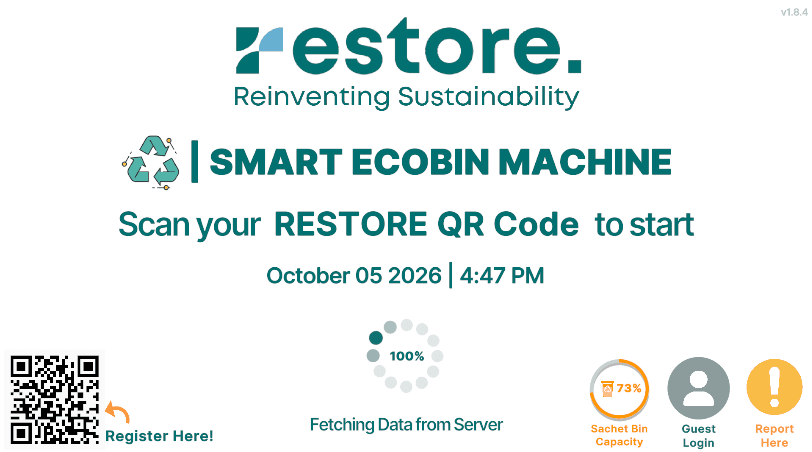 1Main Page
Scan to Log In
The kiosk idles on the welcome screen while it syncs with the server. Users start a session by scanning their RESTORE QR ID, or continue as a guest. Live bin capacity and a "Report Here" shortcut are always visible.
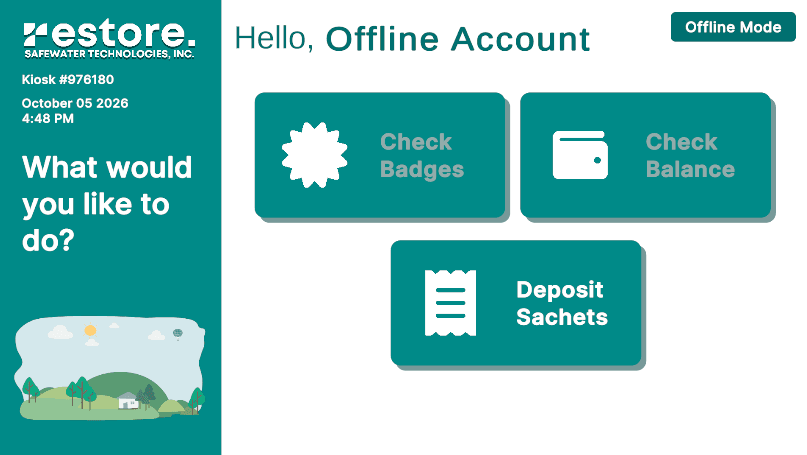 2Profile Page
Open Your Profile
Once authenticated, the user lands on their dashboard where they can check badges, check their point balance, or start depositing sachets.
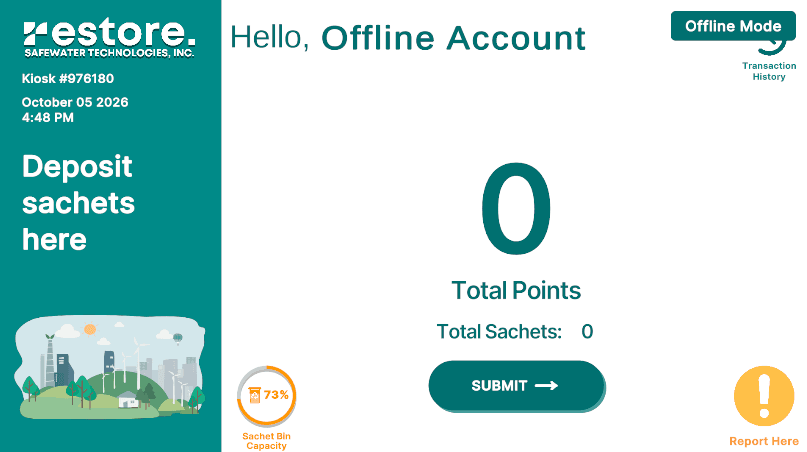 3Deposit Page
Deposit Sachets & Earn Points
Selecting Deposit starts the conveyor. Each sachet is captured by the camera, classified on-device by the ML model, and counted in real time — points and sachet totals update instantly on screen.
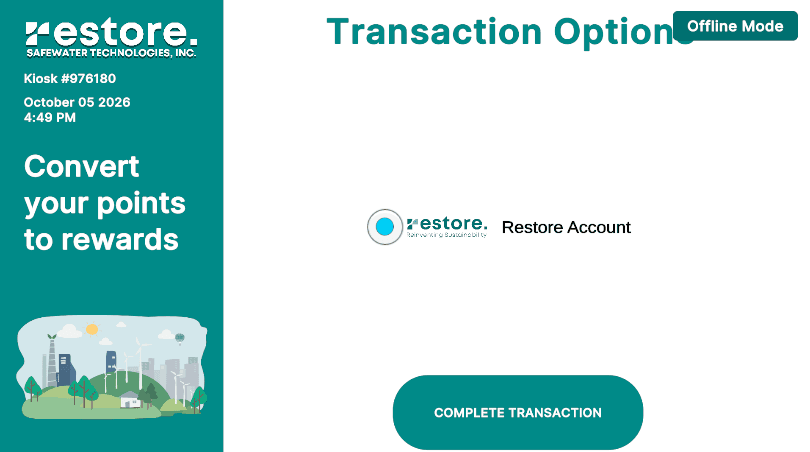 4Transaction Page
Choose Where to Save Points
After 300 sachets, or whenever the user taps Submit, the session ends and they pick where their points go — such as their Restore Account — before completing the transaction.
 5Receipt Page
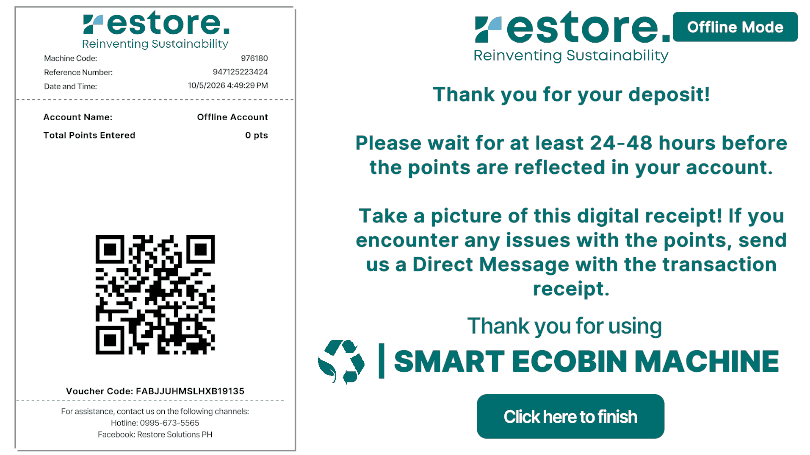
Get a Digital Receipt
The kiosk sends the encrypted transaction to the web server and generates a digital receipt with a reference number, voucher code, and QR code that the user can photograph as proof.
 6Feedback Survey
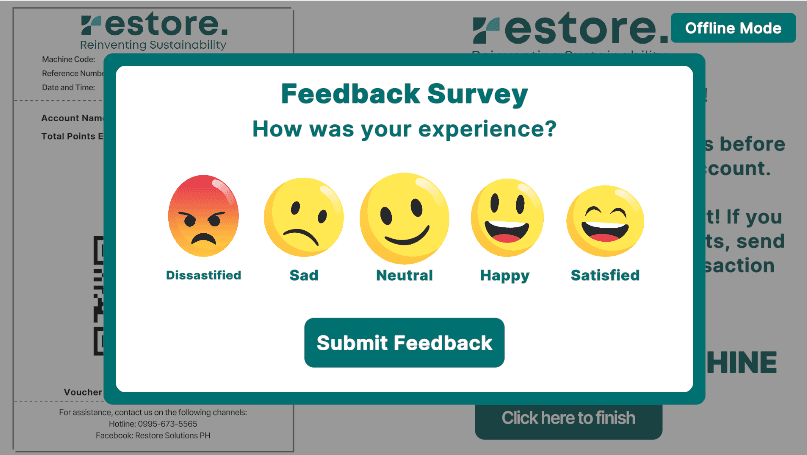
Share Feedback
Before finishing, a quick emoji-based survey captures how the experience went. The kiosk then resets to the welcome screen, ready for the next user.
Under the Hood
On-Device Item Recognition
Unity Sentis runs a machine learning model directly on the kiosk to identify each deposited sachet in real time.
Hardware Integration
Serial communication via Ardity connects the app to the QR scanner, conveyor belt, scale, and NFC reader, with a main-thread dispatcher bridging serial threads safely.
Secure Transactions
AES-encrypted payloads protect user data and transaction logs, which are synced to the backend through REST APIs.
Friendly Kiosk UX
Large touch targets, emoji icons, Lottie animations, and LeanTween transitions keep the self-service flow clear and engaging.
Solution
Developed a Unity-based application with sensor-driven gamification mechanics. Integrated IoT devices through serial and RESTful protocols, implemented real-time feedback systems, and optimized for public venue deployment with robust error handling.
Results
Successfully deployed in multiple public venues with positive user engagement metrics and increased recycling participation.
Interested in working together?
I build interactive installations that connect software, hardware, and the cloud.